
fAIshion.AI
Most users dropped off before completing their first virtual try-on.
Turning the chaotic in-store hunt for markdowns into a playful treasure hunt where every discount feels discovered, not scavenged.
Mobile & Desktop
Research -> Handoff
NDA Redacted
Live on Chrome Web Store
ROLE
Product Designer
Platform
Mobile & Desktop
SCOPE
Research -> Handoff
Context
A Chrome extension letting shoppers virtually try on clothes from any brand upload one photo, drag any item, see it on your body. It worked. The problem was getting anyone past minute one.
01 — Where it broke
Outdated and Overwhelming
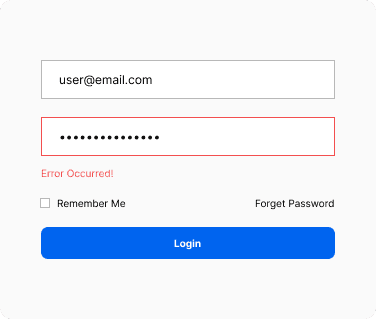
Password-only auth, no onboarding, users landed with zero context
Installed. Never Used.
Users installed it, but didn’t pin it

Upload = Friction
Turns out “just upload a photo” isn’t that simple.
Method
The uninstall survey had been sitting unread.
Instead of recruiting new users, I analyzed existing uninstall survey data that had never been systematically reviewed.
1
Export uninstall survey responses, filter out blank submissions
2
Clustered feedback into key themes.
3
Mapped themes to onboarding steps.
4
Audited Honey, Grammarly, Monday.com, and Loom onboarding flows.
What users said on their way out
Key Insight
The best extension onboarding doesn't tell users what to do.
It shows them a live simulation of it happening.
After auditing top-performing products for the exact moments fAIshion lost users, one pattern emerged: motion beats static every time. I learned Jitter animations specifically to match the standard set by Honey and Grammarly.
Users decide in seconds. This screen makes the value clear and the next step obvious no exploration required.
Login + OTP
Simplified login with social auth options. OTP always shows where the code was sent and if something goes wrong, an error state with attempt count tells the user exactly what to do next
Enter the code sent to you@email.com
Start with your favorites
Mobile users pick favorite brands to power the recommendation engine. This replaces the extension step mobile has no browser toolbar so the experience is built around personal taste instead
Pin the Chrome Extension
Animated Jitter tutorial showing exactly how to pin the extension. Motion, not a static screenshot the same standard used by Honey and Grammarly.
Photo Upload
A real video showing exactly how to take the perfect photo not illustrations, not a do/don't grid. Watching a real person do it removes all guesswork.
Sarah Saavedra
San Diego, USA: ,